Management
Task
The task tab lists the tasks in the system.
Name: task name
UUID: tasks identifier
Project ID: project identifier
Status: task running status, could be Done (stopped and not occupying resources) or Running
Owner: task owner
Type: task type, could be LAB or JOB
Specification: flavor for the task
Create time: task creation time
Host: host where the task runs
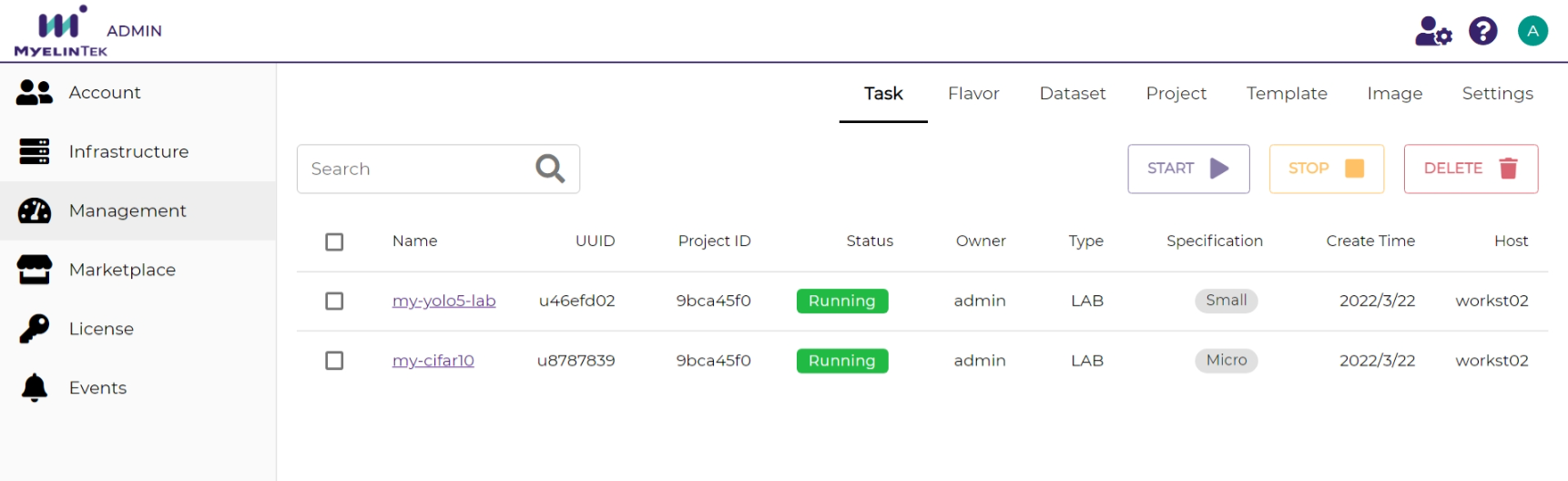
Task management operations:
Start
Stop
Delete
Note
A task could only be deleted when it is stopped (in the Done status)
Flavor
The flavor tab lists the flavors in the system.
Name: flavor name
Summary: flavor settings summary
CPU: CPU cores to allocate
Memory: memory to allocate in MB
GPU: GPU cards to allocate.
0means no GPUs will be allocated.GPU type: GPU type used. Any means no restrictions to GPU types.
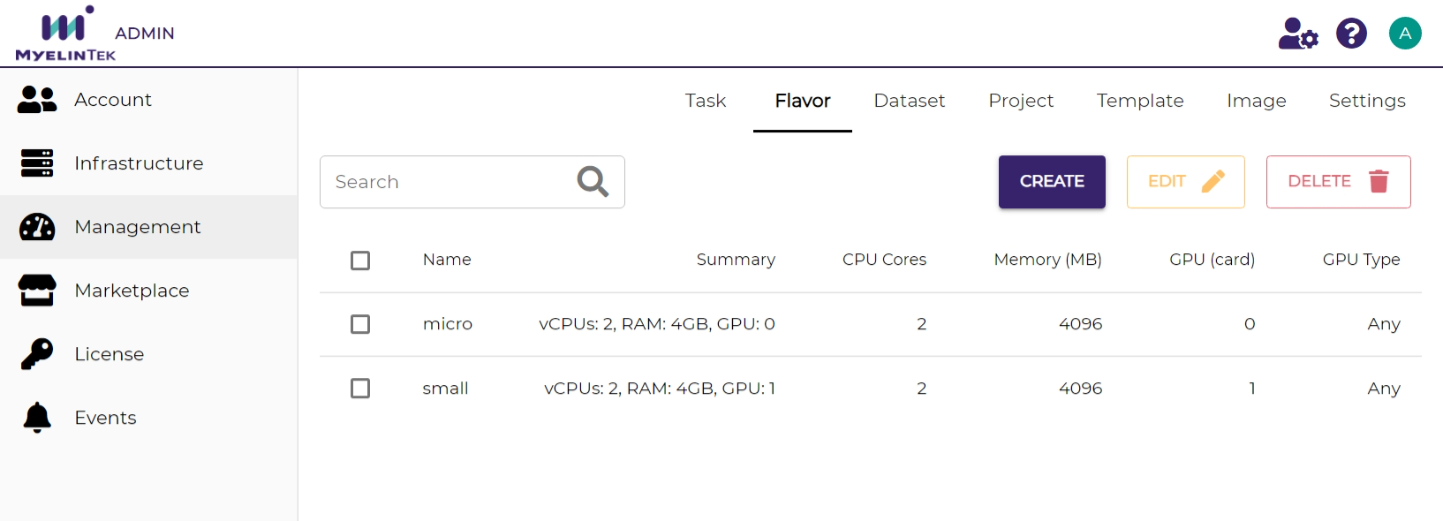
Flavor management operations:
Create
Edit
Delete
Dataset
The dataset tab lists the datasets in the system.
Name: project name. A public built-in dataset is displayed by the dataset’s name. A private project-scoped dataset is displayed by the project’s identifier followed by the dataset’s name.
UUID: project identifier
Project: owner project, empty for built-in datasets
Permission: dataset access permission
Owner: dataset creator
Size: dataset size in MB
Create time: dataset creation time
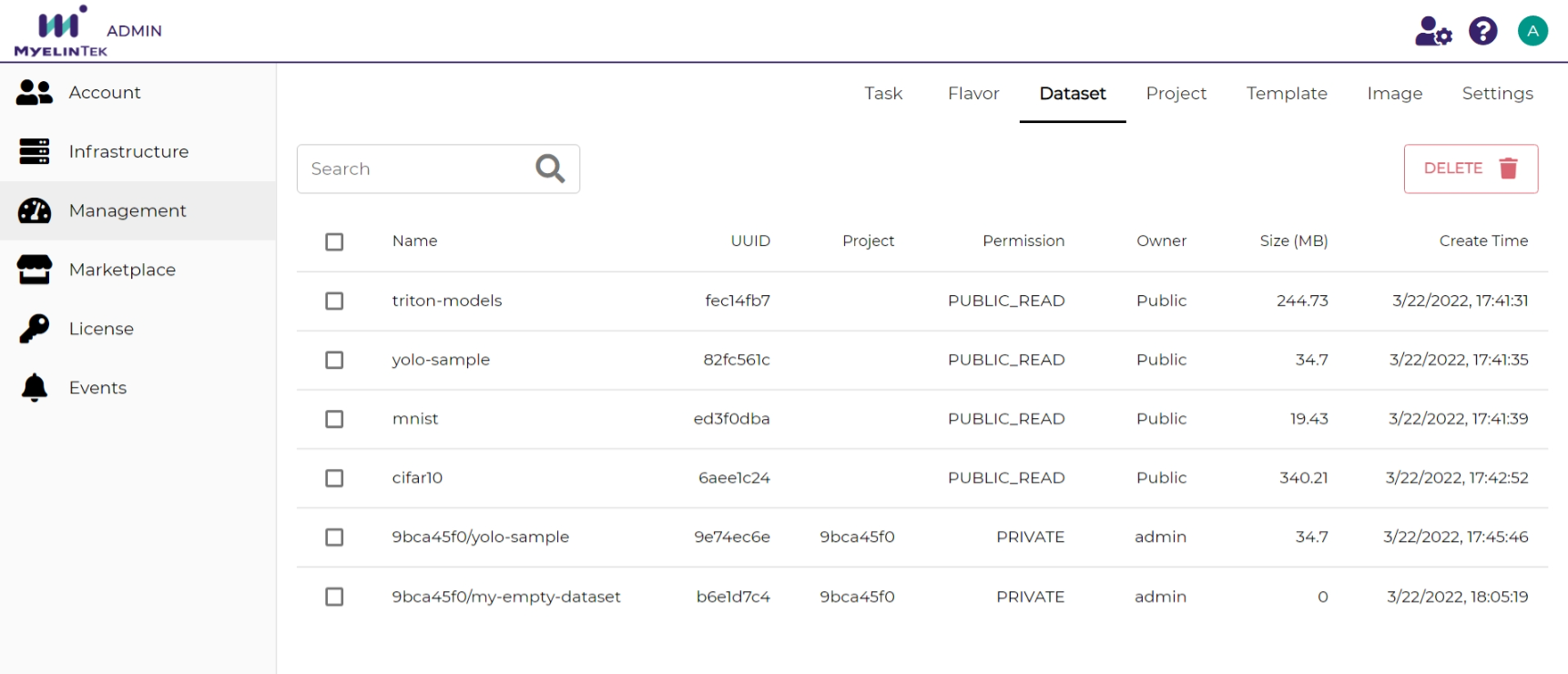
Dataset management operations:
Delete
Note
A dataset could be created or edited only through the normal user interface.
Project
The project tab lists the projects in the system.
Name: project name
UUID: project identifier
Note: project description
Owner: project owner
Create time: project creation time
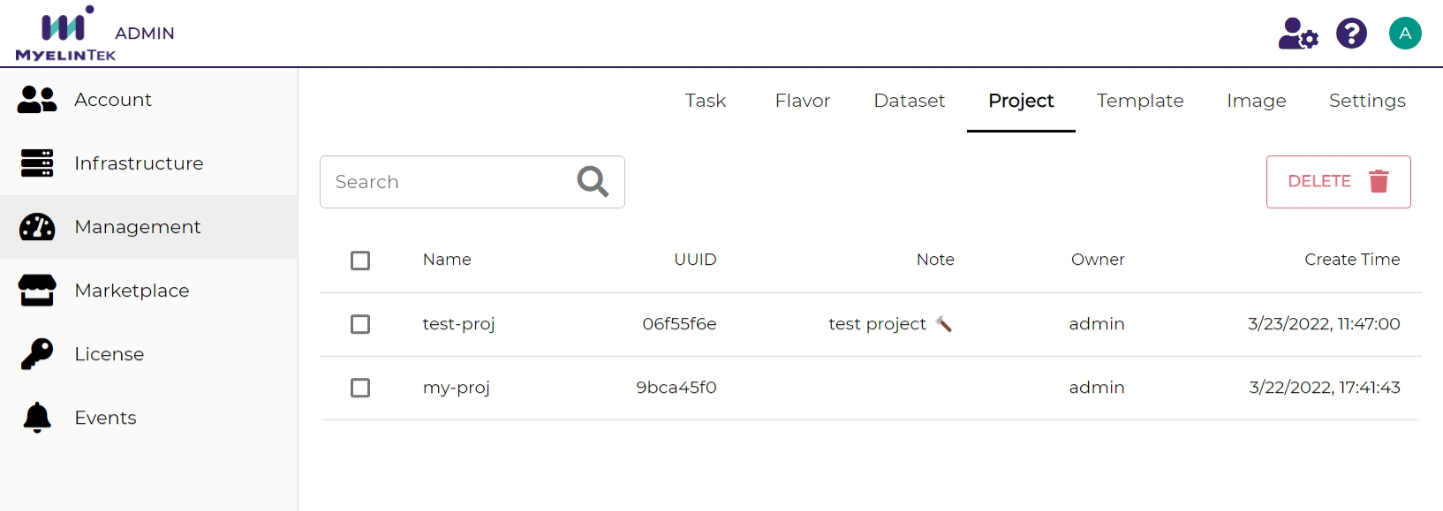
Project management operations:
Delete
Note
A project could be created or edited only through the normal user interface.
Template
The template tab lists the templates in the system.
Name: template name
Description: template description
Author: template author. MLSteam means a built-in template.
Version: template version
Tag: template tags
Create time: template creation time
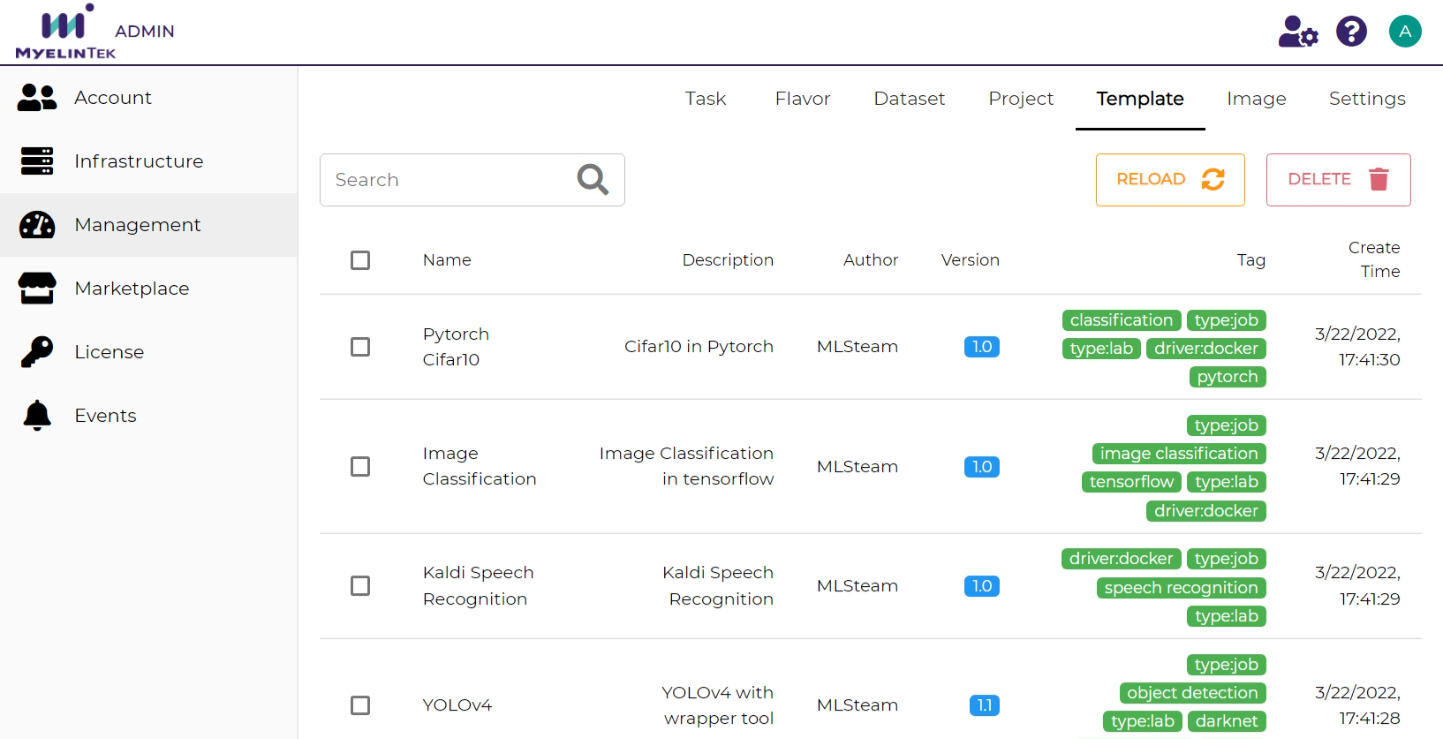
Template management operations:
Reload: restore all built-in templates, in case that some templates get deleted or changed accidentally
Delete
Note
A template could be created or edited only through the normal user interface.
Image
The image tab lists the Docker images in the system.
Name: image tagged names
UUID: image identifier
Project: project in the image registry
Layer: image layer numbers
Size: image size
Create time: image creation time
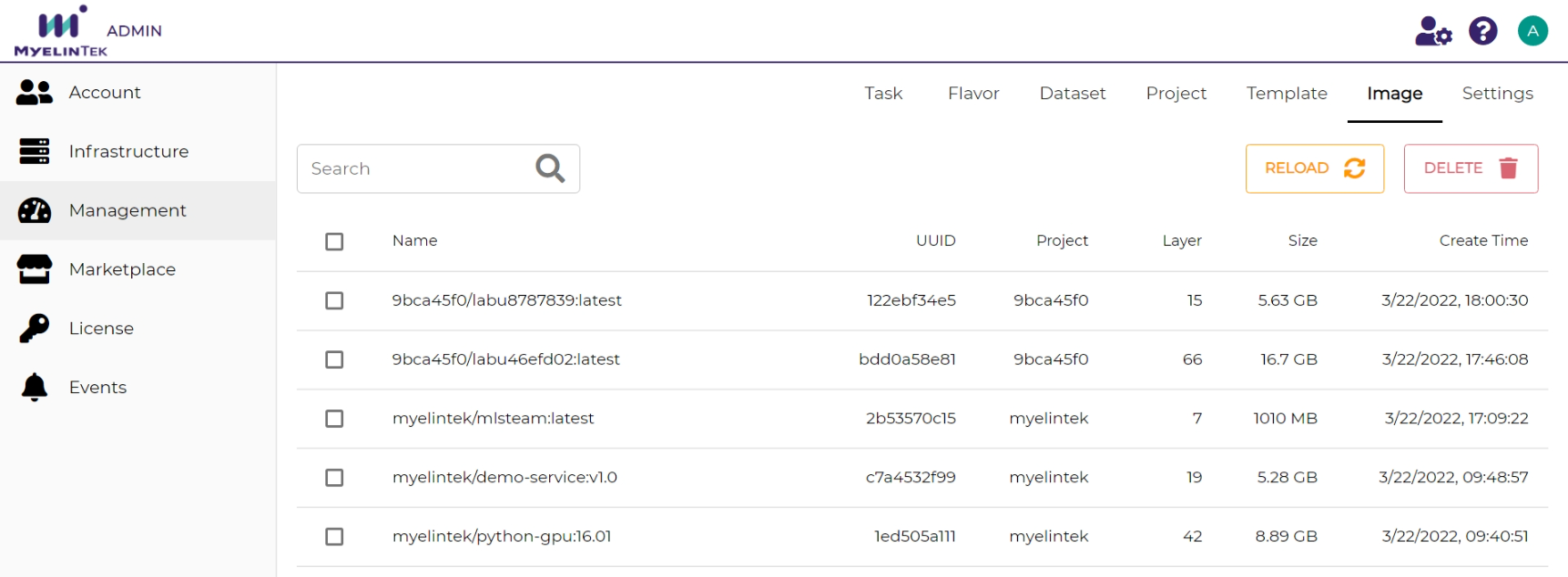
Image management operations:
Delete
Note
All Docker images, including those not used in MLSteam, are listed here.
Setting
The setting page lists the global system settings.
open_files: maximum number of opened files for a container
pids_limit: maximum number of processes for a container
shm_size: shared memory size in GB for a container
storage_limit: storage size in GB for a container
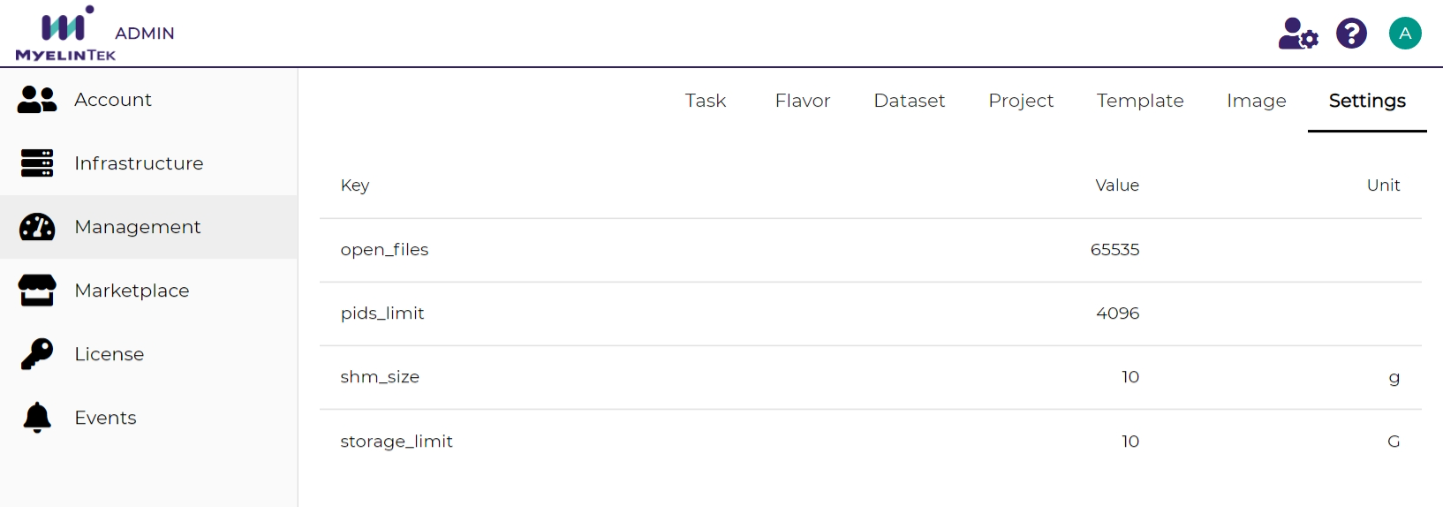
The setting management operations:
Edit: by clicking on the value
