Event
Activity
View Auditlog
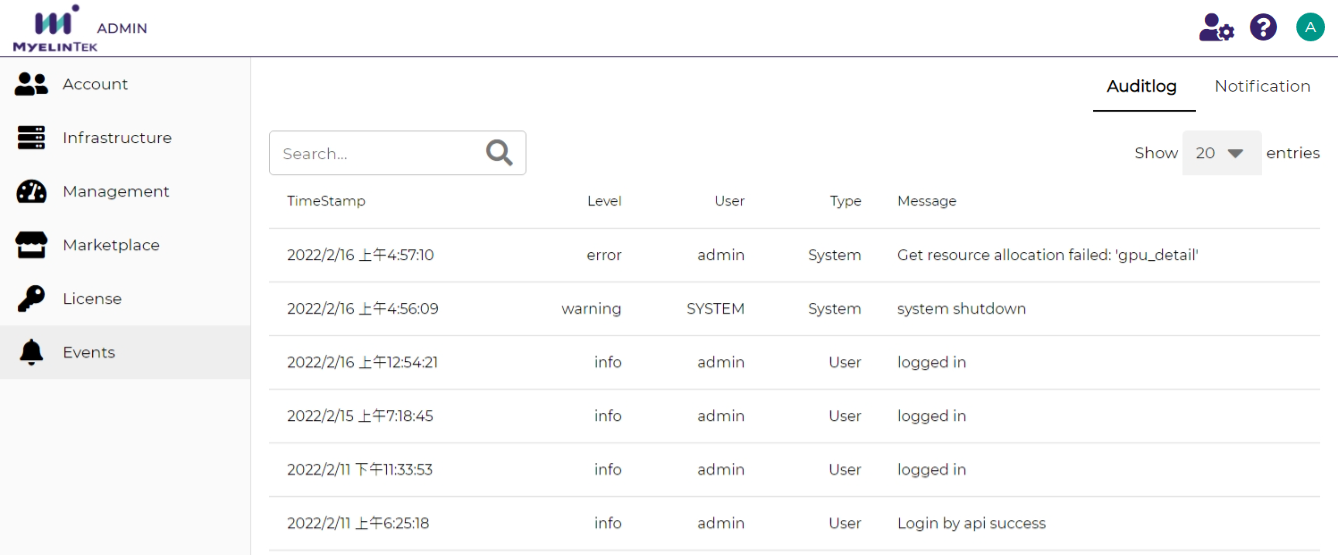
The Auditlog tab lists the logged events. An event includes the following information:
Time stamp: event reporting time
Level: logging level
User: username (for a user event) or SYSTEM (for a system event)
Type: event type, could be User (user event) or System (system event)
Message: event message
The events could be filtered by entering the search terms.
Notification
Add a Webhook
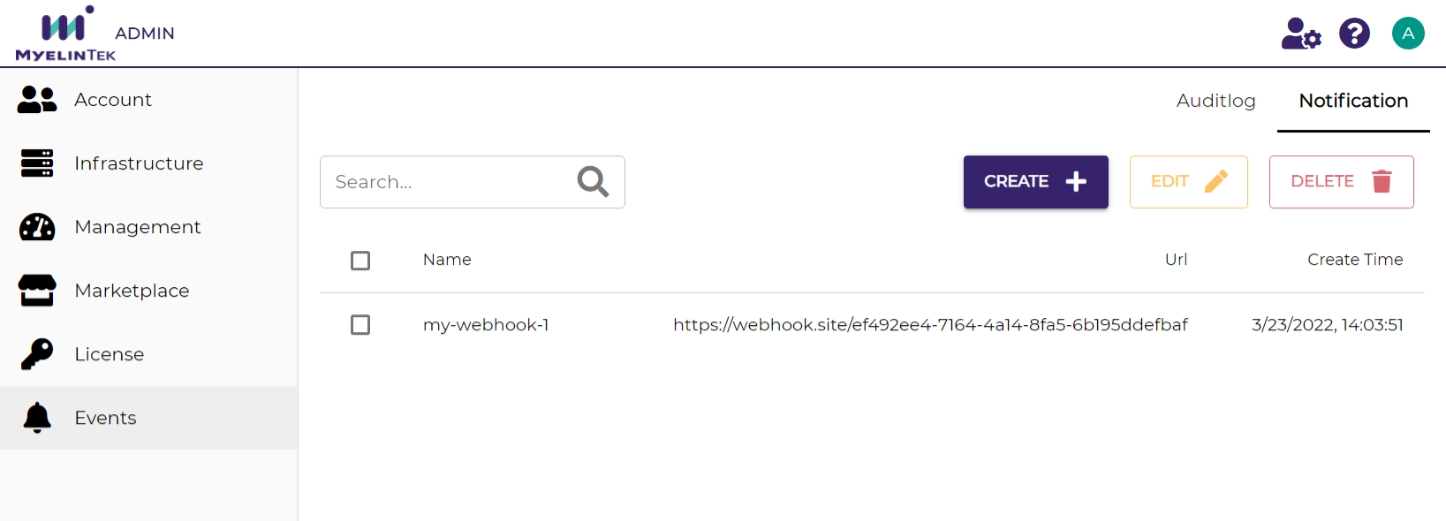
The Notification tab lists the notifications receivers (Webhooks). A Webhook is triggered on the occurrences of the following events:
Lab start, stop, restart, or deletion
Pipeline start, stop, restart, or deletion
Webapp start, stop, restart, or deletion
A generic Webapp sends a POST request to the specified URL with the data in the format below.
{
    "username": "peter",
    "timestamp": "2022-03-23T06:05:45Z",
    "action": "start",
    "task": {
        "type": "lab",
        "uuid": "u28b9760"
    },
    "flavor": "{'id': 1, 'order': 3, 'name': 'small', 'cpu': 2, 'gpu': 1, 'gpu_type': 'Any', 'categories': [], 'memory': 4096, 'cpu_lab': False, 'info': '(vCPUs: 2, RAM: 4GB, GPU: 1)'}",
    "result": "success"
}
To add a generic Webhook for receiving notifications:
Click on the CREATE button.
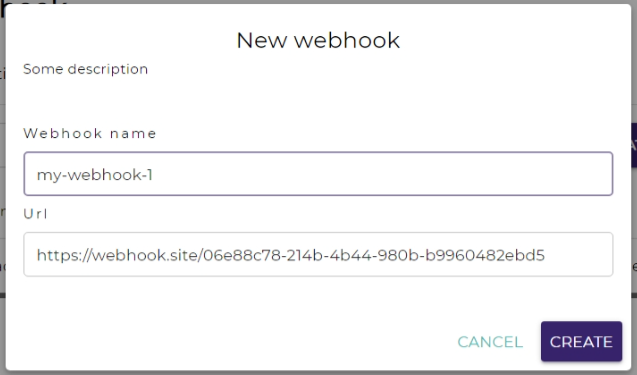
Input the Webhook’s name and URL.
Click on the CREATE button.
The Webhook added will be in the list. Reload the page if the list has not been updated.